Features · Multi-device sync

Hand off on your phone.
Pick up everywhere.

One account. Web, desktop, and mobile share the same tasks, work, and progress. Work follows you, not the device.

Each surface does what it is best at — the browser hands off, the desktop creates, the phone keeps you in the loop.
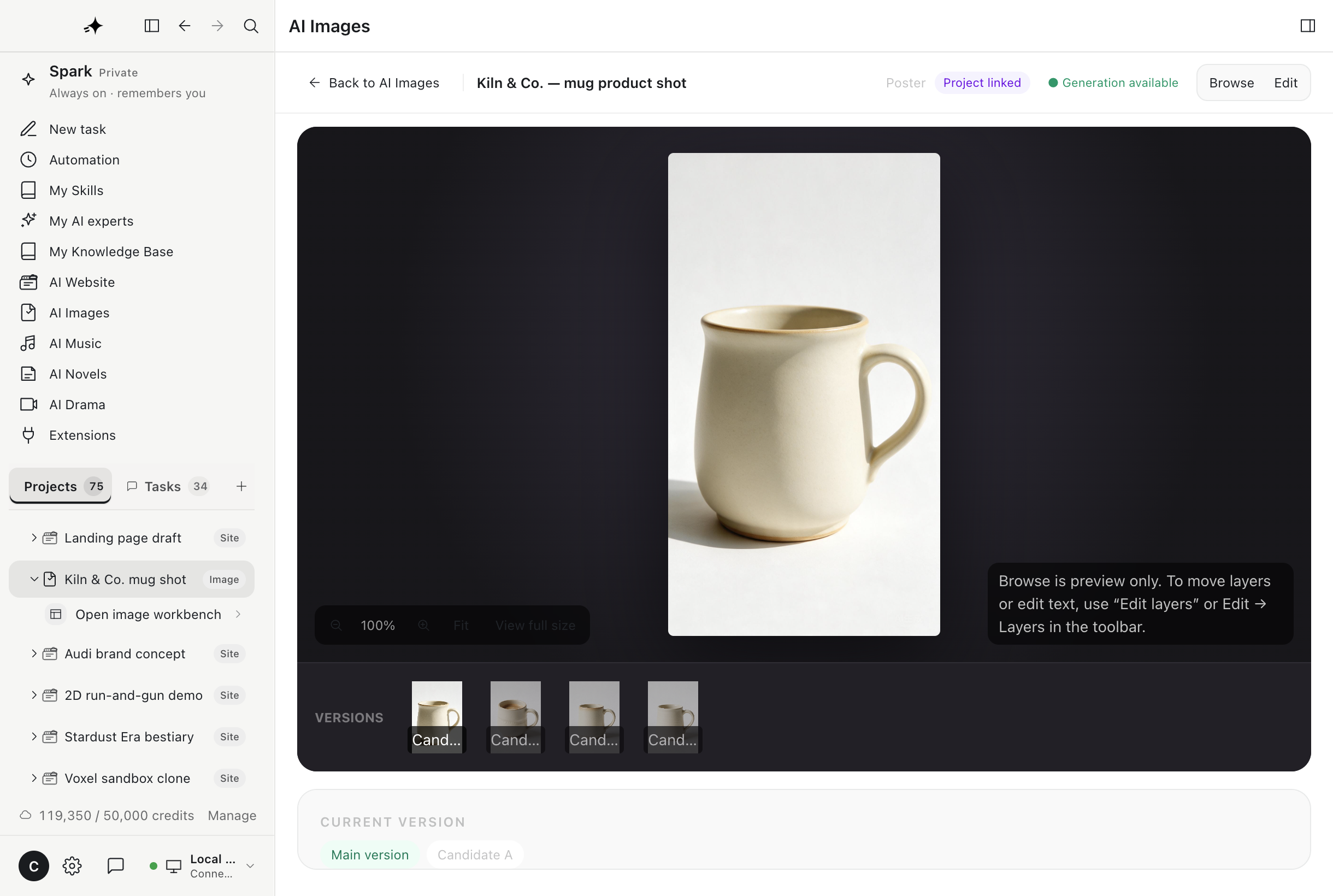
Desktop clientLive
AI image project open on desktop
WebRunning
Report task running in the browser
SparkLLM
TASK UPDATE

Your report is ready

Quarterly report · finished on Web

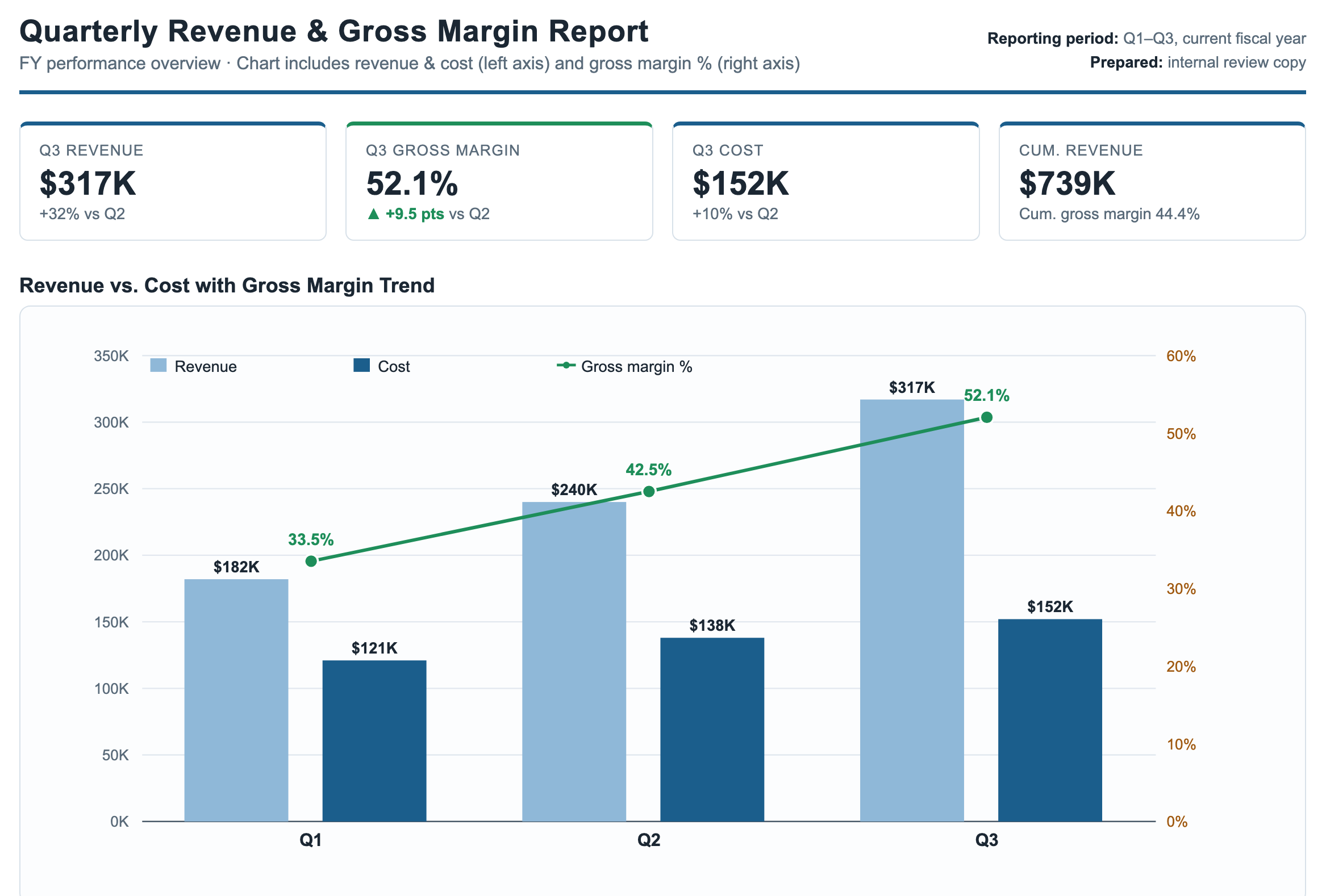
Q3
PhoneSynced
WebDesktop clientPhone

Who does what

Three surfaces, one account

Not the same interface shipped three times — each surface covers the part it is actually good at.

01

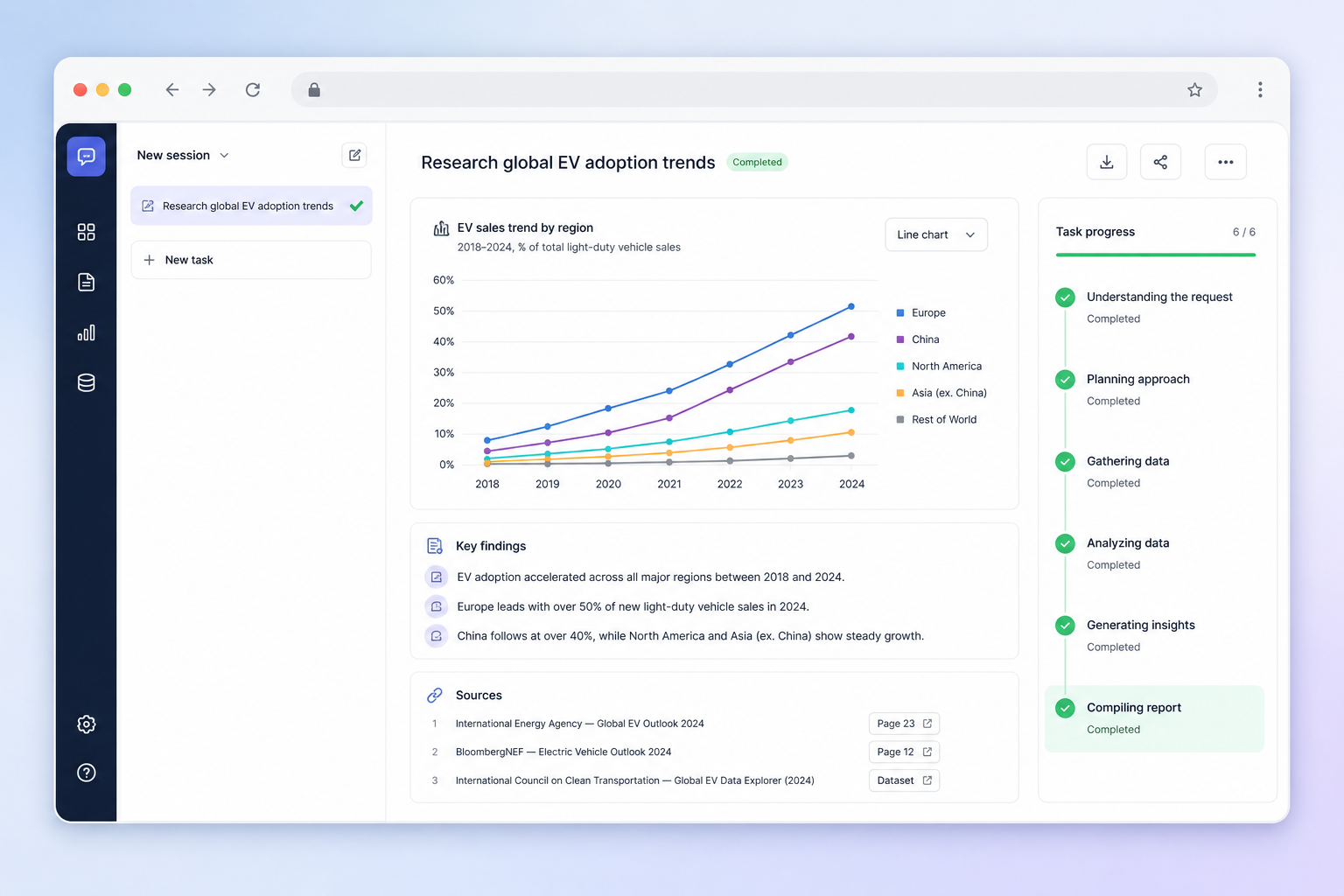
Web workspace finishing a research report

Web

Cloud · nothing to install

Open a tab and hand off general work. No client required.

  • Sites, research, reports
  • Notes, calendar, Today
  • Review work, approve actions

02

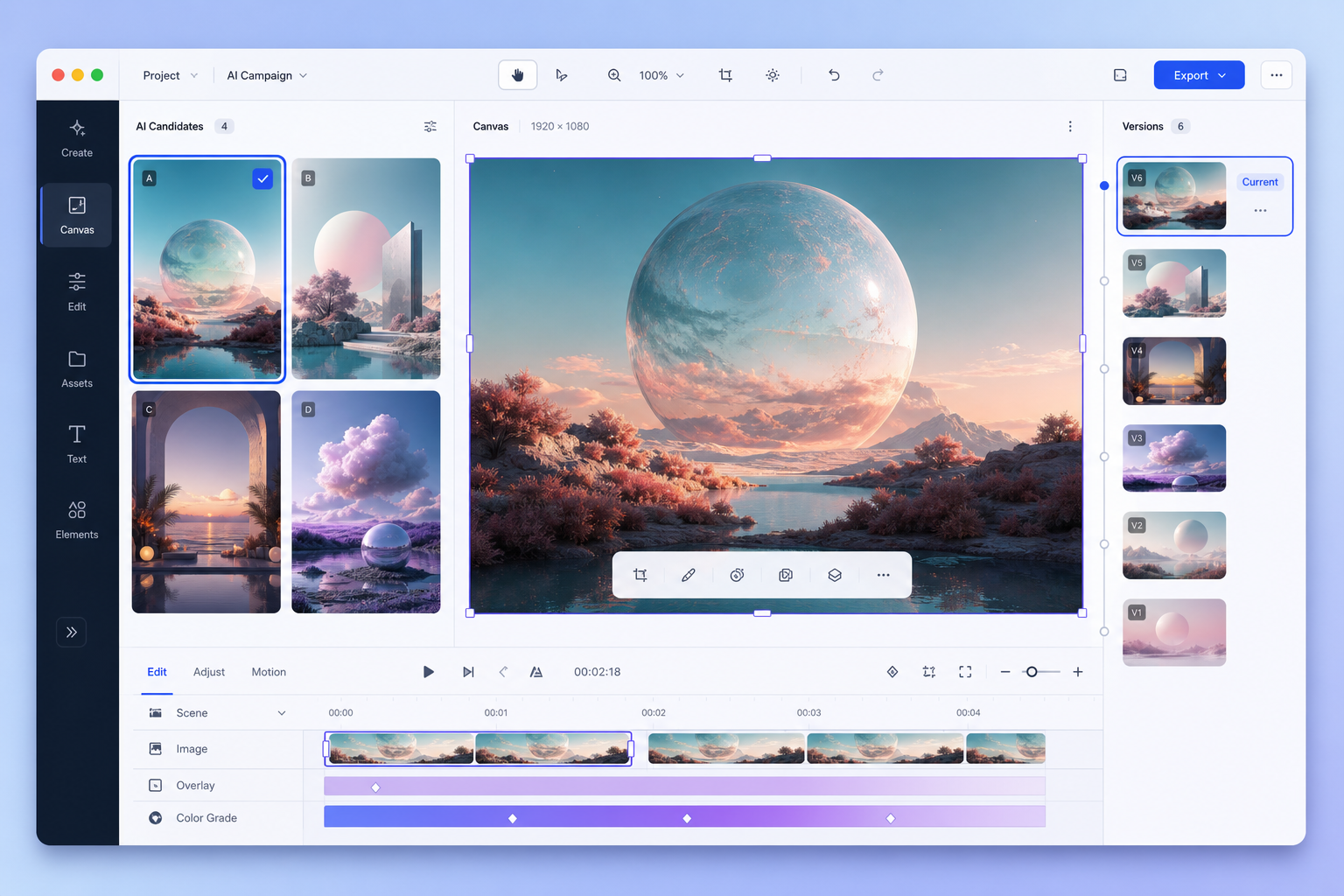
Desktop creative workbench comparing image versions

Desktop client

Local · full creative power

Creative workbenches run on your own computer; materials stay local.

  • Image, drama, novel, music workbenches
  • Version compare, fine edits, one-click rollback
  • Local files, Git, private data

03

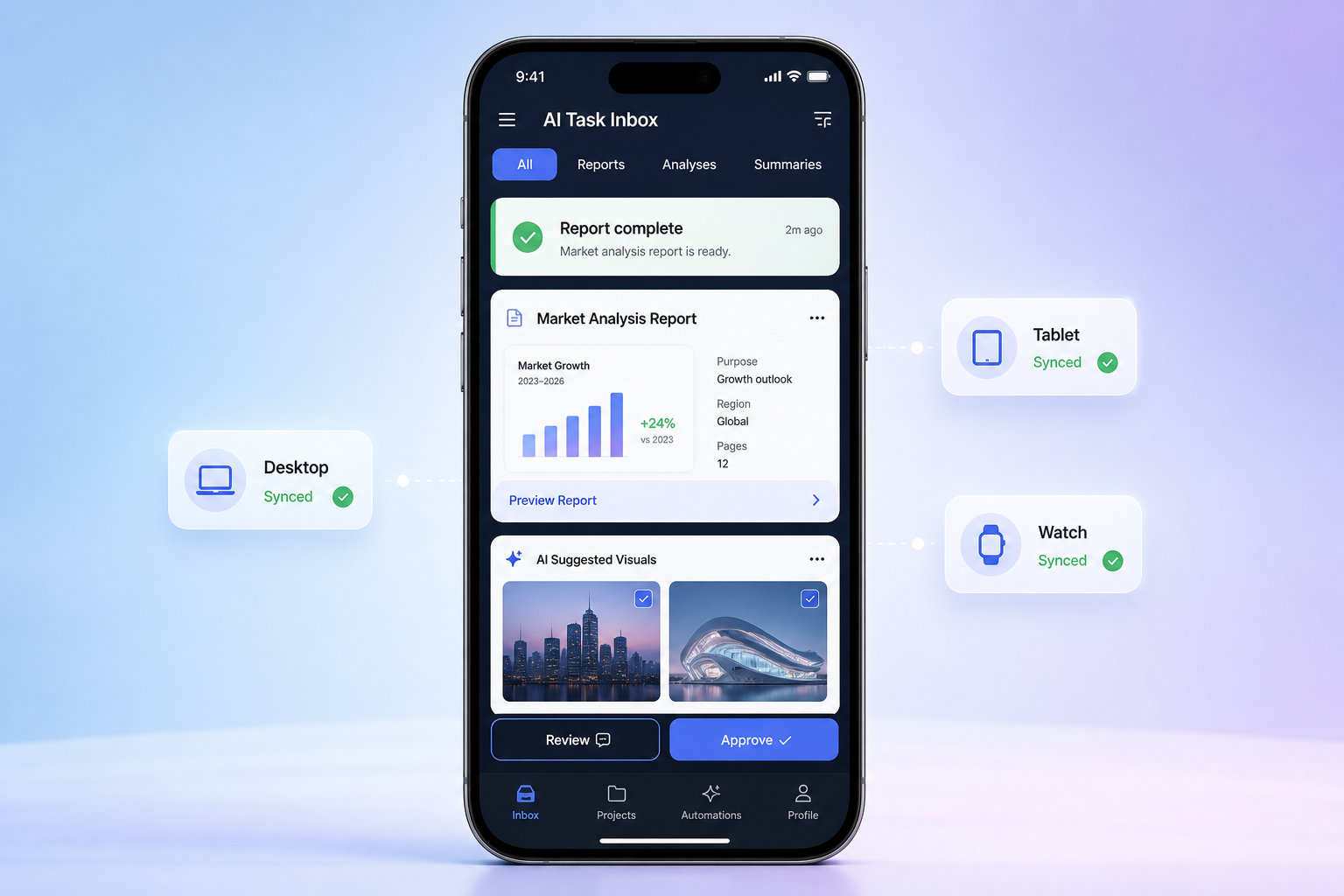
Phone reviewing a completed synced task

Phone

Portable · always in the loop

Browse work, capture ideas, watch progress. Heavy lifting goes back to the computer.

  • Browse the library, compare candidates
  • Hand off in one sentence, light edits, share
  • Job progress, approval push

One task, three surfaces

Pick a scenario on the left — the stage follows. Nothing to sync by hand.

Say it once on the subway and leave. The cloud keeps going; open your desktop later and the deliverable is waiting.
Half-edited on your computer last night? Tap “recently edited” on your phone and keep going — project, selection, and conversation come along.
Before touching your files or spending money it stops and asks. Away from the desk? Tap Allow on your phone and it continues.
Film exports and multi-track mixing never run on a phone. Scan a code or send yourself a link and continue on the computer.

One-page revenue report for my boss — with charts.

Handed to the cloud Keeps running while locked · ~1 min 40s
revenue-report.html
Finished quarterly report

Recently edited · ceramic mug shot

Keep editing v7 · edited on desktop at 23:14
image · versions
Image version stack

Needs your OK

Will edit a file pricing.md · lines 12–18
needs your OK

Needs your OK

Will edit a file

pricing.md · lines 12–18

- Pro · $39 / month
+ Plus · $49 / month
Allow Not now

Better done on your computer

Export the 30s film Needs local compute · scan to continue on desktop
The Last Firing · 30s
Mobile · creation channels

Every vertical gets its own channel, with four blocks inside

Images, short drama, novels, and music each get a channel — not one catch-all entry. Inside every channel: browse work, hand off, light edits, watch progress. Heavy work is explicitly handed back to the computer instead of forced onto a small screen.

Library Hand off an idea Light edits Job progress
AI Images · channel
Library Ideas Edit Progress

01

My work Thumbnail grid · version count · grouped by project · favorites
Browse

02

Hand off an idea One sentence is enough: “swap the background / give me 4 candidates”
Cloud

03

Light edits Crop, rewrite copy, change size, pick a version
30s

04

Job progress Queued / running / done / failed · notified when finished
Push

Details that matter

The small things you hit every day

Fragmented time, one hand, unstable networks — these are designed for, not worked around.

Compare

Compare candidates

Swipe side by side, pinch to inspect detail, pick one and keep editing.

History

Go back to an earlier take

A visual version timeline — jump from version seven back to three in one tap.

Offline

Browse on a weak network

The library is cached locally, so downloaded work still opens underground.

Reuse

Use work as material

“Use as reference” or copy into a new project, then start the next task from it.

Undo

Deleted by mistake? Still there

Recently deleted keeps items for 7 days, so a slip of the thumb is recoverable.

Usage

See what it costs

Every project and job carries a usage tag — you know before you hit a wall.

More feature pages

Explore by capability